Set up your business hours
Your business hours decide which times customers can book. You set them once and change them whenever you like.
Set your weekly hours
- In the dashboard sidebar, open Settings.
- Click the Business hours tab.
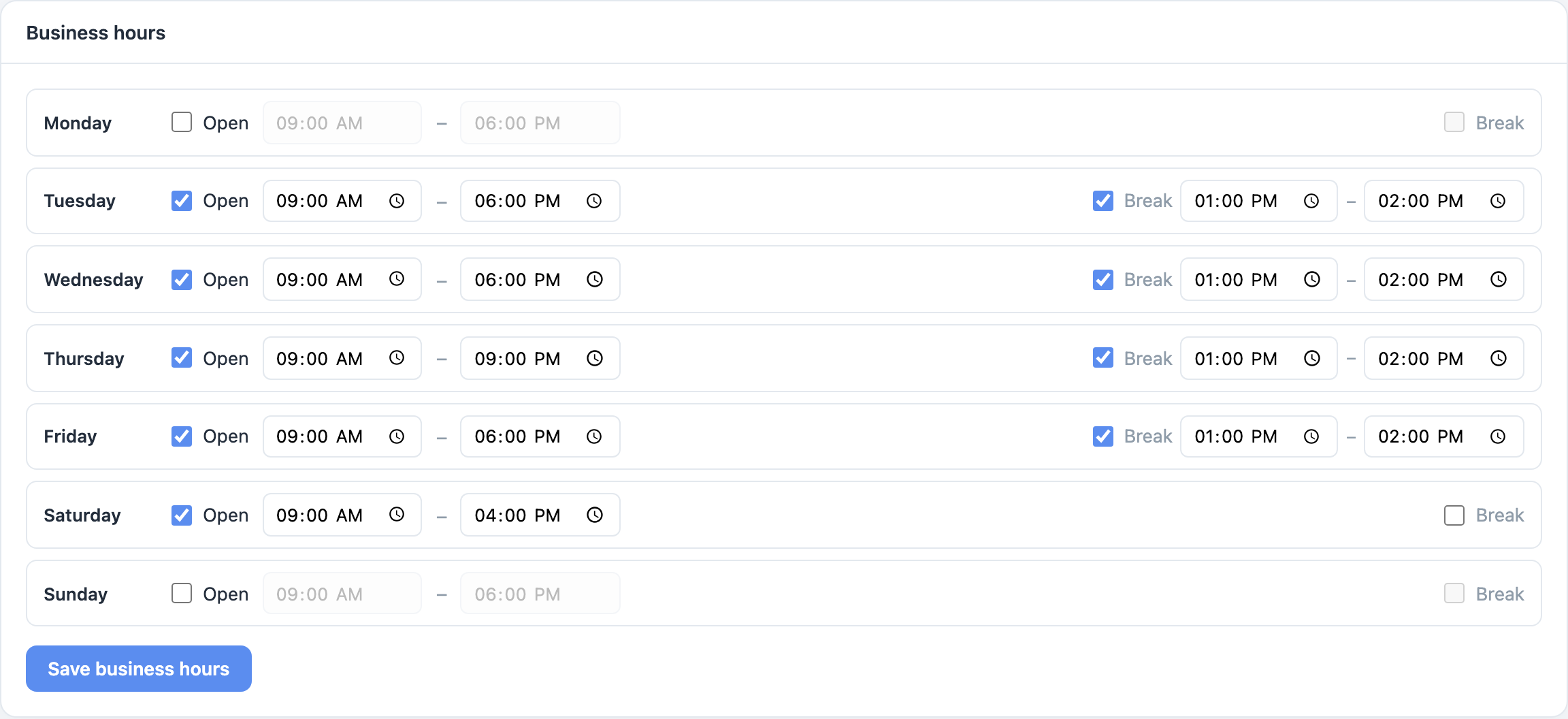
- For each day you work, tick Open and set the start and end time — for example
09:00–18:00. - Untick Open on the days you are closed.
- Take a lunch break? Tick Break on that day and set its times. No appointment can start during the break.
- Click Save business hours.
How business hours work with staff schedules
Business hours are the outer limit for the whole business. Each staff member also has their own weekly schedule, and a time can be booked only when both say you are open.
So if the shop is open 09:00–18:00 but Maria works 10:00–14:00, customers can book Maria only between 10:00 and 14:00.
Closing on a single date
For public holidays, or different hours on one specific date, don't touch your weekly hours — use the Availability page instead. See Add holidays and days off.